
MilitaryTrained fitness app

Train for your military fitness test.

How close are you to your target? Record a practice test, see where you meet the standard, and take the next workout into the gym. Start free with the Army infantry fitness target.

See how the app works
Sample assessment and training schedule

Which test are you training for?

Your target determines the events you record, the units you use, and how the app reads your results. Here are two US targets you can explore in Goals.

Army infantry

Included with Free. Choose your age band for the Army Fitness Test combat standard. Record a deadlift, hand-release push-ups, sprint-drag-carry, plank, and 2-mile run.

The app converts each event into points. Check both the individual event minimums and the overall total to see where a higher score would help.
From first test to retest

Follow one sample athlete from choosing a test to recording a second attempt. Select any screenshot to enlarge it. Swipe on your phone or use the arrows to browse all five.

  1. Choose a target

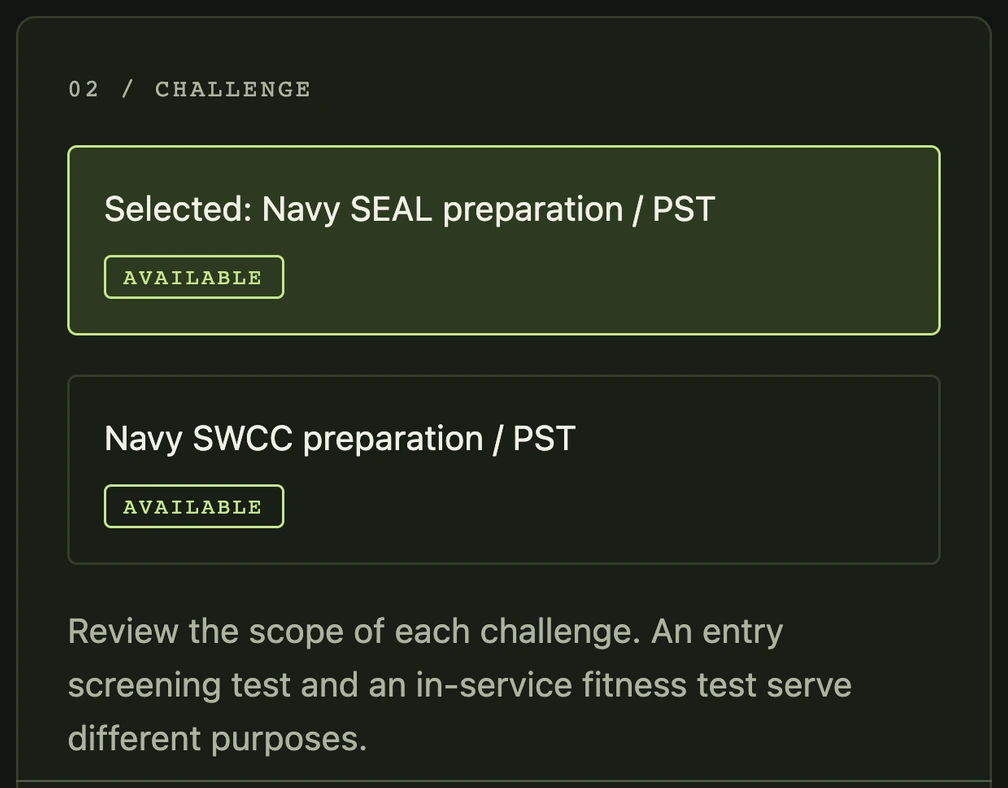
    Pick the test you want to prepare for. This example follows the Navy SEAL Physical Screening Test, one of the targets available with Pro.

    Target picker with Navy SEAL preparation / PST selected.
  2. Test your baseline

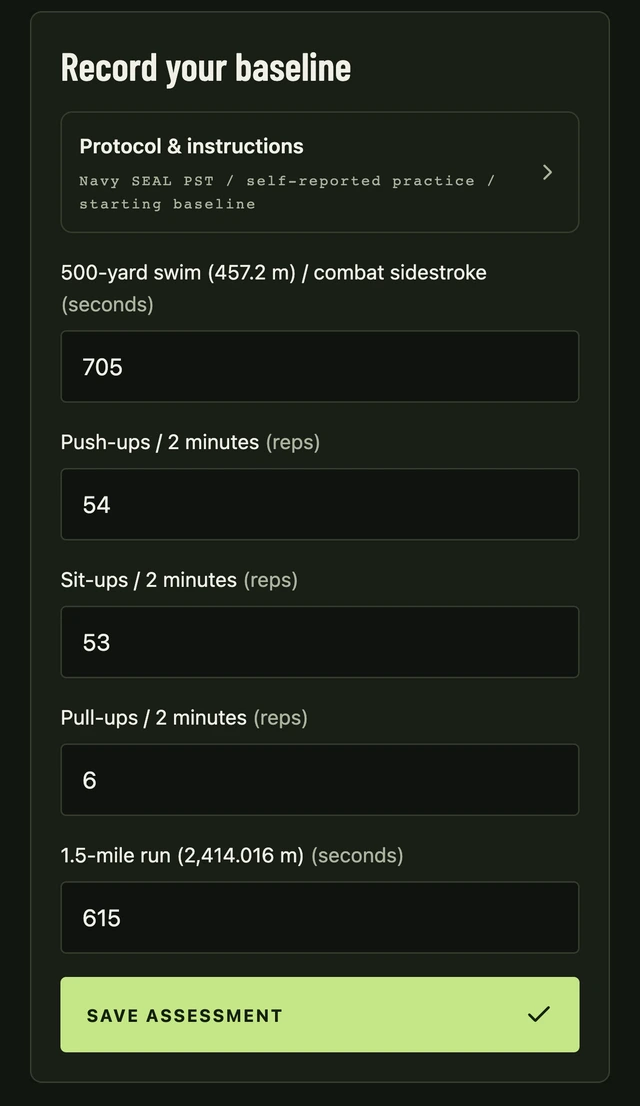
    Enter your swim and run times and your reps for each strength event. Our sample athlete records six pull-ups on the first assessment.

    Baseline form showing five practice results, including six pull-ups.
  3. Track your progress

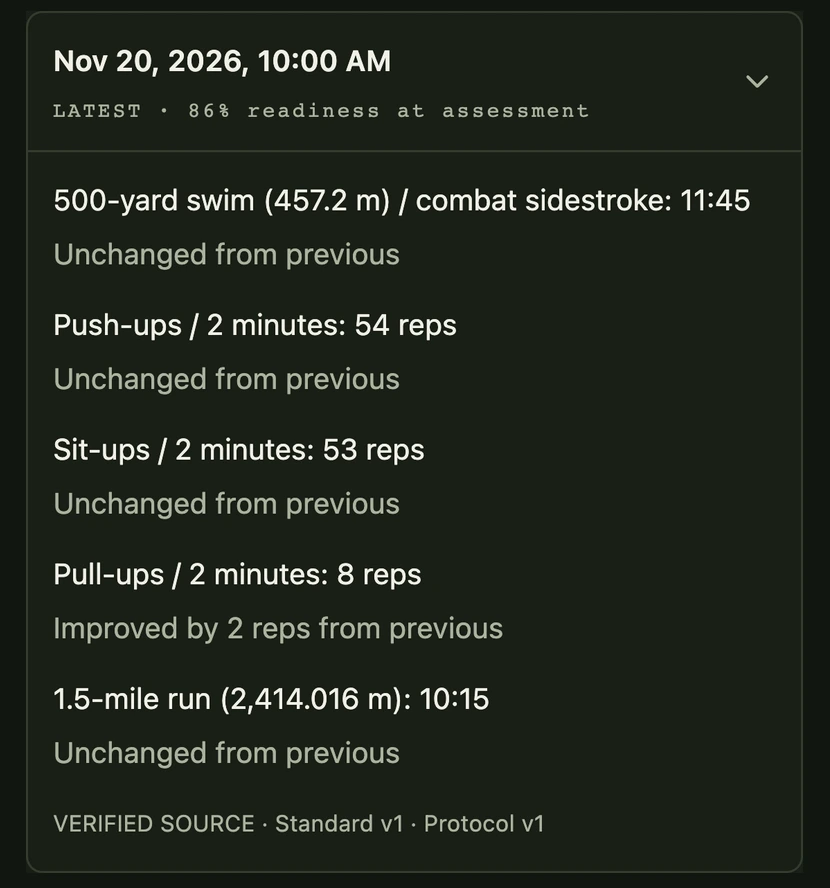
    Retest and open your assessment history. The next entry shows eight pull-ups, two more than the baseline, alongside the events that stayed the same.

    Assessment history showing eight pull-ups and a two-rep improvement over the previous test.
Read the getting started guide

What changed on the second attempt?

Look at the pull-up row. Our sample athlete went from six to eight. The swim and run times held steady. Even with only one event moving, you can tell exactly where the work showed up.

The history screen keeps the readiness estimate from the day of the test. Expand a saved entry to compare each event with the previous attempt under the same standard and test protocol.

Sample Navy PST results
EventBaselineRetest
500-yard swim11:4511:45
Push-ups5454
Sit-ups5353
Pull-ups68 (+2)
1.5-mile run10:1510:15

Inside a guided workout

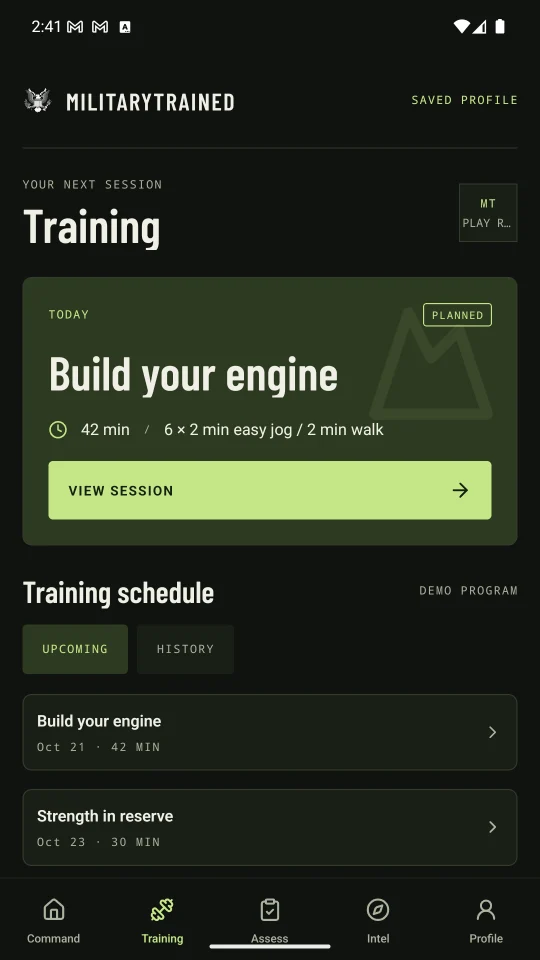
Open a session in your training calendar to see what you need and how long each part takes. Free includes the Foundation Fitness routine. Pro lets you build a schedule around your assessment and the days you have available.

Before you begin
Preview the exercises, equipment, sets, and recovery intervals. Open an exercise to read its instructions while you set up.
During a set
Follow the timer for timed work or enter the reps you actually complete. You can pause the session and resume at the same step.
After the last exercise
Record your effort and any notes, then save. The summary shows your session time, completed steps, and recorded reps.
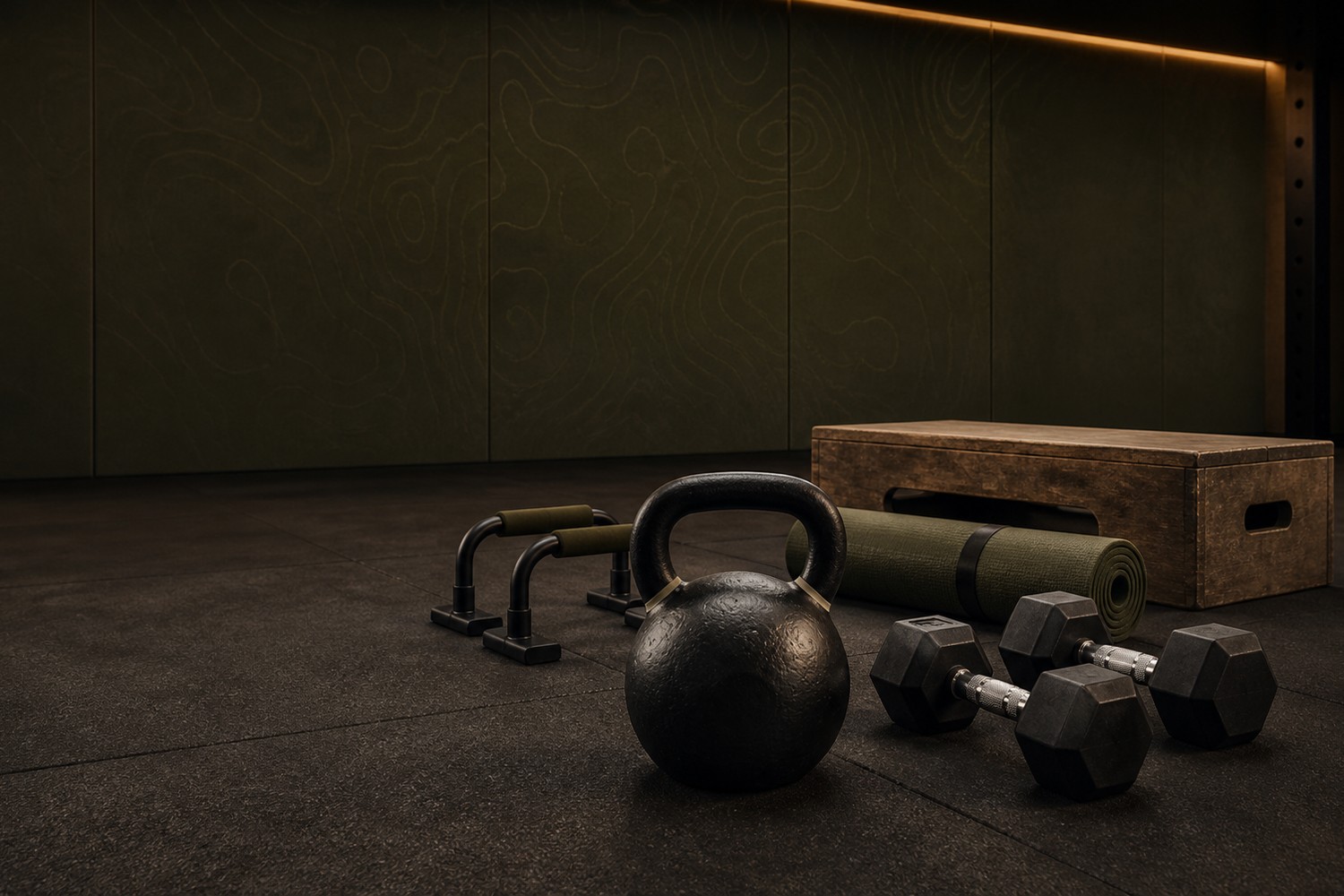
Kettlebell, dumbbells, exercise mat, and box set out for a training session.

See your training show up on your character

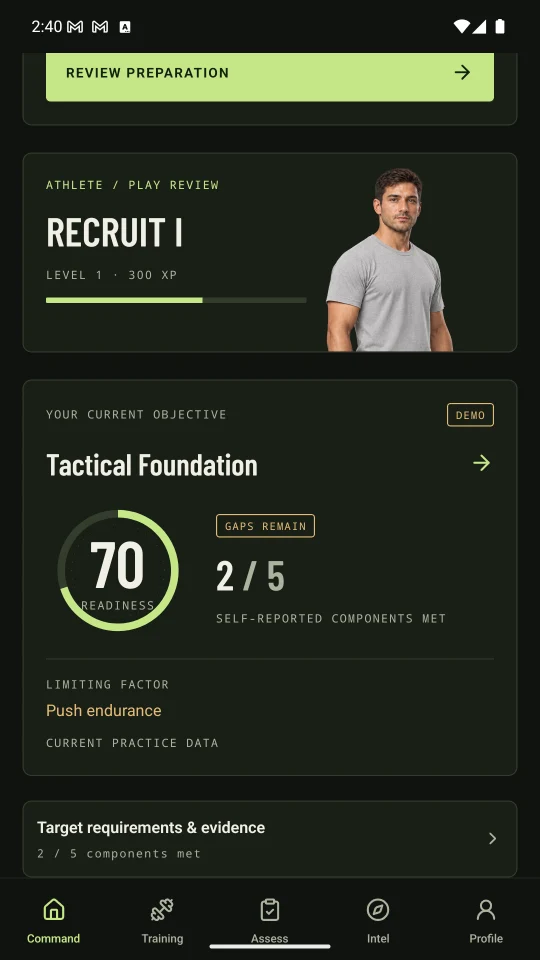
Your first completed assessment earns experience points (XP). Eligible workouts add more. Open your profile after a session to see the award, your current level, and how much XP you need for the next one.

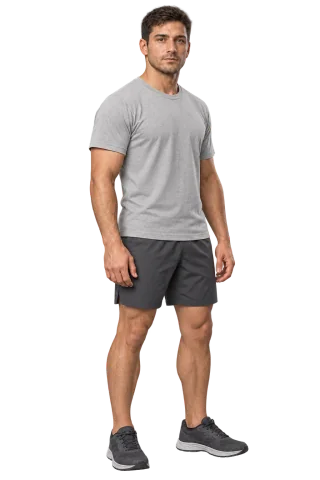
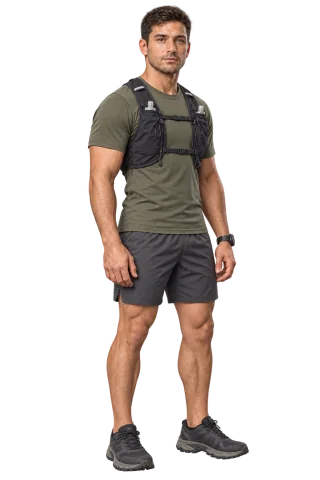
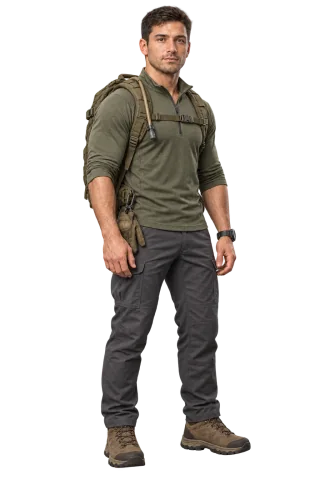
These are three of the fictional character tiers in the app. As you level up, your character gains new looks and gear. Your earned progress stays with your account if you move between Free and Pro.

Athlete in a gray T-shirt and running shorts.
Recruit I
The same athlete in an olive shirt and training vest.
Candidate I
The athlete with a backpack, field trousers, and boots.
Field Ready I

Choose your training plan

MilitaryTrained Free

Build a baseline for the Army Fitness Test combat standard.

  • Record practice results for each event and see which scores need work.
  • Follow the standard training plan with guided workouts.
  • Sign in to save your assessments and compare retests over time.

MilitaryTrained Pro

Prepare for another target or build a routine around your own results.

  • Unlock additional targets, including the Navy SEAL Physical Screening Test.
  • Build personalized routines around gaps in your assessments.
  • Choose your training days and session length to fit your week.
Explore Pro

MilitaryTrained is an independent fitness app. Practice results help you track progress and do not certify military qualification.

Questions before your first session

Contact app support
Do I need a subscription to start?

You can choose the Army infantry target, save practice results, and follow Foundation Fitness with a free account. You can start without entering payment details. Open Free & Pro to see which additional targets and scheduling options come with a subscription.

Where do the fitness requirements come from?

Open the source details on the target screen. The Army infantry target links to the Army Fitness Test and its scoring tables. The Navy SEAL target links to the Navy’s published PST requirements. The app also identifies its own training benchmarks so you can see who set the target.

How should I read my readiness score?

It is the app’s estimate based on the results you entered for that target. A missing result or an event below its minimum can affect the estimate. Open the individual events to see what needs another measurement or more practice. Official testing and qualification are handled by the respective service.

Why can today’s readiness differ from a saved assessment?

A saved assessment keeps the result you saw on the test date. Current readiness also considers how recent your measurements are. Check the date alongside an event if the app asks you to update it.

What happens to my records if I return to Free?

Your saved assessments, routines, and earned character progress stay with your account. Free includes the Army infantry target and the standard routine. Other targets and changes to personalized routines require Pro access.

Record your first practice test

Download the Android app on Google Play, choose your target in Goals, and save your first assessment. The iPhone app is coming soon to the App Store.